A free employee scheduling app for small business works when you have one location and 10 or fewer people, or when you only need the schedule and not the time clock.
As of November 9, 2026, Homebase Basic and Connecteam’s Small Business Plan both cost $0 up to 10 people. Sling’s free plan covers up to 30 users but leaves time tracking to its paid tiers, and When I Work has no free plan. Headcount is the limit everyone sees. The one owners tend to miss is how long a free plan keeps timesheets, because federal wage rules expect those records to exist for two years.
Below are the published limits, that record rule, and three hypothetical shops priced at list prices, from a six-person bakery to a 25-person café with two addresses. If you are pricing the rest of your tools at the same time, the software cost guide for small businesses lists what accounting, payroll and payment apps charge.
Free employee scheduling app for small business plans, side by side
Each vendor draws the free line in a different place. Homebase counts employees and locations. Connecteam counts users. Sling counts users but keeps the time clock off the free plan, and When I Work charges per user from the first person. Prices below come from each vendor’s pricing page on November 9, 2026, at monthly billing unless noted.
| Plan | Free limit | Time clock on the free plan | First paid step |
|---|---|---|---|
| Homebase Basic | $0 for 1 location, up to 10 employees | Yes, timesheets stored up to 90 days | Essentials: $30 per location per month ($24 billed annually), unlimited employees |
| Connecteam Small Business Plan | $0 for up to 10 users, all hubs | Yes | Operations Basic: $35 a month for the first 30 users ($29 billed yearly), then $1.00 per added user |
| Sling Free | $0 for up to 30 users | No, time tracking starts on Premium | Premium: $2.00 per user per month ($1.70 billed annually) |
| When I Work | No free plan, 14-day trial | Paid plans only | $2.50 per user per month for one location, $5 for multiple locations |
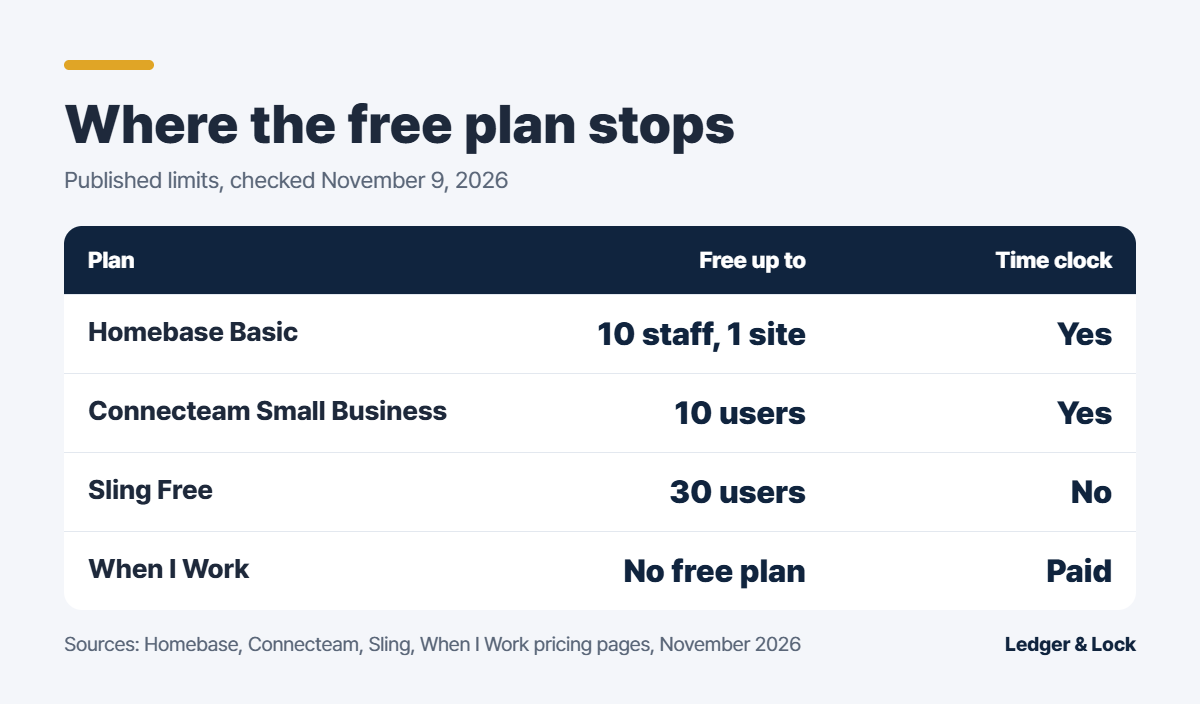
Two details on those pages change the math more than the headline price. Homebase’s pricing table lists timesheet storage “for up to 90 days” on Basic and “for 4+ years” on Essentials. Connecteam says teams of 11 to 30 people can choose a free Limited plan after the 14-day trial, but it describes that plan only as “the essentials of each product,” so check which time clock features stay before you count on it. Neither Connecteam nor Sling states a timesheet history limit on its pricing page.
Homebase was also advertising a limited-time offer of six free months of payroll and its Plus plan. The figures in this article are the regular list prices, since promotions end and the regular rate is what you pay in month seven.
The two-year record rule a free plan has to fit
The Fair Labor Standards Act does not care which app you use. The Labor Department’s Fact Sheet #21 says employers may use any timekeeping method, from a time clock to workers writing down their own hours, as long as the records show hours worked each day and total hours each workweek for every non-exempt employee.
Time cards and work schedules are on the list of records the Labor Department says to keep for two years, and payroll records stay for three. A 90-day timesheet window covers about one eighth of that.
That gap is fixable with a habit. Homebase’s free plan page says time cards become payroll-ready timesheets that you can export to Excel-compatible CSV files. Export after every pay period and file the CSV with that period’s payroll report, and the 90-day limit stops mattering. Keep the published schedules too, because Fact Sheet #21 puts “work and time schedules” in the same two-year group. The regulation behind that group, 29 CFR 516.6, covers the time cards that record each employee’s daily starting and stopping times.
Shop one: a six-person bakery with one address
Hypothetical: a bakery with the owner and five hourly staff, so six logins. One storefront, payroll every two weeks in a separate payroll app, and staff clock in on a tablet by the register.
- Homebase Basic: $0. Both limits fit, one location and fewer than 10 employees, and the free plan lists clock-in on tablets, computers and POS devices.
- Connecteam Small Business Plan: $0. Six users is under the 10-user cap.
- Sling: scheduling is free, but clocking in needs Premium at 6 × $2.00 = $12 a month, or 6 × $1.70 = $10.20 billed annually. Kiosk clock-in on a shared tablet is listed under Business, 6 × $4.00 = $24 a month.
- When I Work: 6 × $2.50 = $15 a month.
For this bakery, the $0 plans need one task per payroll run: 26 timesheet exports a year at biweekly payroll. The paid alternative at Homebase, Essentials billed annually, runs $24 × 12 = $288 a year and adds longer timesheet storage, overtime and break preferences, and automatic clock-in reminders.
Shop two: ten staff plus four December hires
Hypothetical: a gift boutique with 10 people all year adds four seasonal staff from late November to early January. For about six weeks, 14 people need schedules and a time clock.
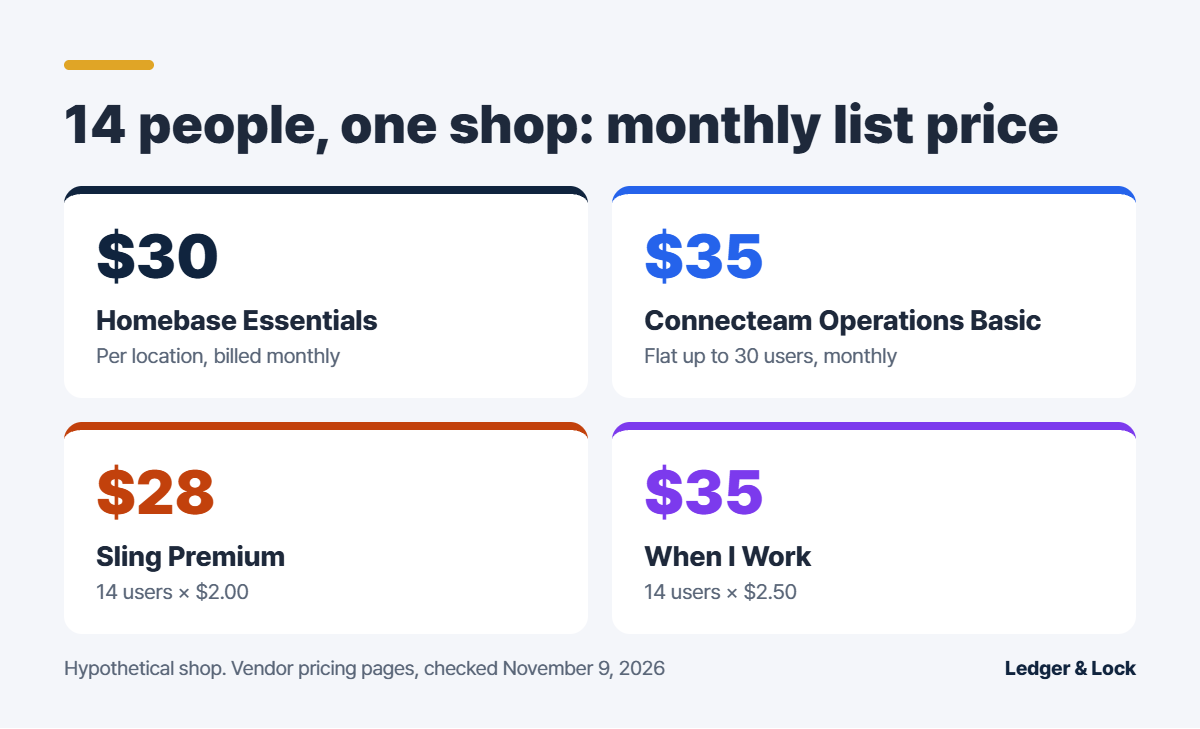
Fourteen people breaks both 10-person free plans. Homebase’s FAQ says a team of more than 10 employees will be asked to choose Essentials, Plus or All-in-One after the trial, so the cheapest route there is Essentials at $30 a month. Connecteam’s Operations Basic would be $35 a month at monthly billing, flat up to 30 users, unless its free Limited plan covers what you need. Sling Premium comes to 14 × $2.00 = $28, and When I Work to 14 × $2.50 = $35.
For a six-week bump, billing terms matter as much as price. When I Work says monthly payers can add or reduce seats and change plans at any time. Homebase says a new plan takes effect at the start of the next billing cycle, so a move back to Basic in January applies from the following cycle. Annual billing lowers the sticker price (Homebase Essentials $24 instead of $30, Connecteam $29 instead of $35), but it prices a whole year for a crew that is 14 people only during the holidays.
When the seasonal staff leave, close their scheduling accounts together with the rest of their access. The employee offboarding IT checklist covers that order for email, shared logins and POS PINs.
Shop three: 25 people across two locations
Hypothetical: a café with two addresses in the same city and 25 hourly staff who sometimes cover shifts at the other store. Homebase’s FAQ is explicit that two separate addresses count as two locations, even in one city.
- Homebase Essentials: $30 × 2 locations = $60 a month, or $48 billed annually.
- Connecteam: a separate time clock or schedule per store starts on Operations Advanced, $59 a month at monthly billing ($49 yearly), still flat because 25 is under 30 users.
- Sling Premium: 25 × $2.00 = $50 a month. Business, which adds kiosk clock-in and payroll reports, is 25 × $4.00 = $100.
- When I Work: the multiple-locations plan at 25 × $5 = $125 a month.
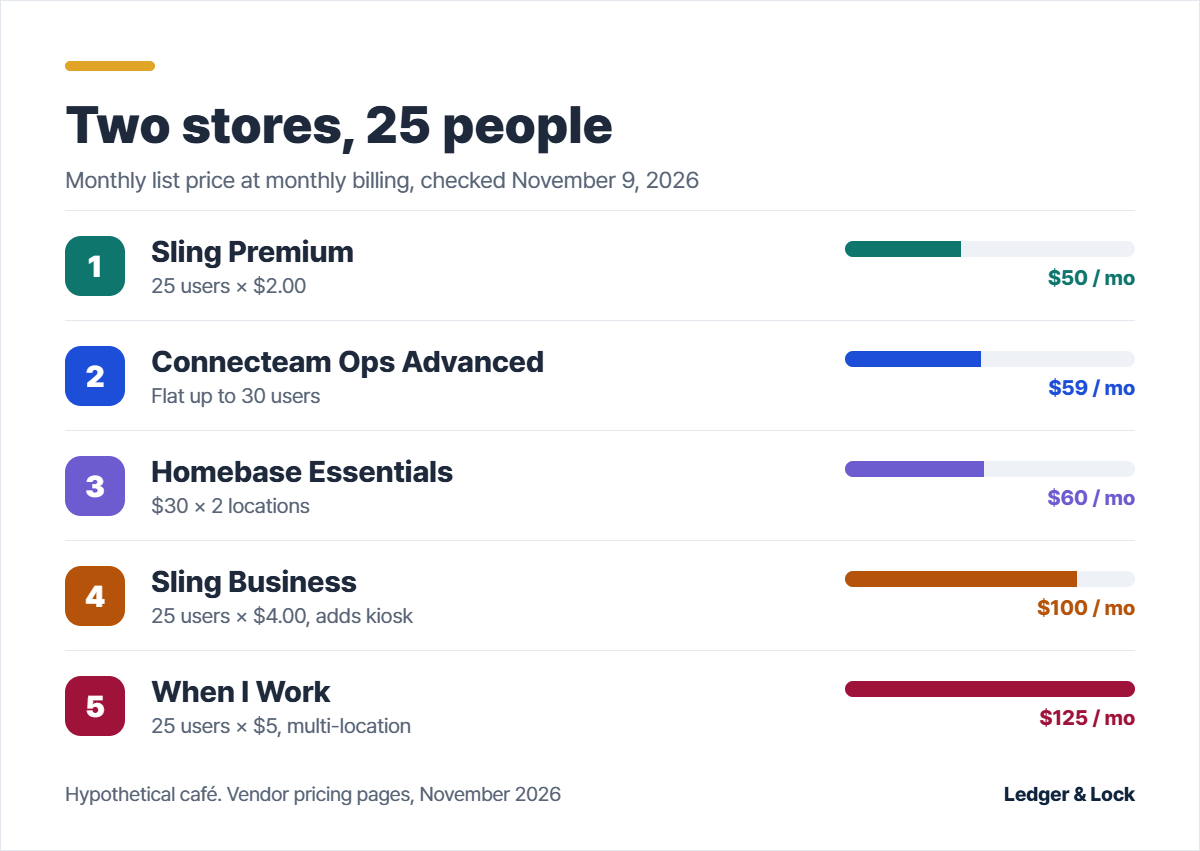
The spread runs from $50 to $125 a month. Per-user plans (Sling, When I Work) rise with every hire, while the Homebase and Connecteam bills stay put until you add a location or a 31st user. Sling’s pricing page does not say how its plans handle a second store, so confirm that during its 15-day trial before you compare it line for line with the others.
Matching the plan to your crew
Count heads for your busiest week of the year and include every person who will log in. Ask each vendor whether owner and manager logins count toward the limit before you settle on a number.
| If your crew looks like this | Price these first |
|---|---|
| One address, 10 or fewer people, time clock needed | Homebase Basic or Connecteam Small Business Plan, both $0. With Homebase Basic, export timesheets every payday. |
| Schedules only, hours tracked on the POS or elsewhere | Sling Free, up to 30 users |
| 11 to 30 people at one address | Homebase Essentials ($30 per location) against Connecteam Operations Basic ($35 flat) and per-user plans at your peak count |
| Two or more addresses | Homebase per location, Connecteam Operations Advanced, When I Work at $5 per user |
| Hours should flow straight into payroll | The payroll connections each app lists, plus what the payroll app itself charges |
The payroll side has its own monthly cost. The Gusto vs QuickBooks payroll pricing comparison shows the base fee and per-employee charges you would add on top of any scheduling plan.
Staff scheduling and client booking are separate tools: one tells your crew when to work, the other lets customers pick a time and pay a deposit. Businesses that sell by the appointment can compare three booking tools in the Acuity vs Calendly vs Square Appointments cost breakdown for a three-person studio.
What owners ask about free scheduling apps
Is Homebase really free for a small business?
Yes, within two limits. Homebase’s pricing page, checked November 9, 2026, lists Basic at $0 for one location and up to 10 employees, with scheduling, a time clock and timesheets stored for up to 90 days. A second address or an 11th employee moves you to Essentials at $30 per location per month.
Is Connecteam free for small teams?
Connecteam’s Small Business Plan is free for life for up to 10 users and includes all of its hubs, according to its pricing page on November 9, 2026. Teams of 11 to 30 people can pick a free Limited plan after the 14-day trial with fewer features, or pay $35 a month for Operations Basic.
Does When I Work have a free plan?
No. When I Work offers a 14-day trial with every feature, then charges $2.50 per user per month for a single location or $5 per user for multiple locations, per its pricing page checked November 9, 2026. Billing can be monthly or annual, and monthly payers can change seats at any time.
How long do I need to keep employee time records?
Keep time cards and work schedules for two years and payroll records for three, under the federal FLSA recordkeeping rules summarized in the Labor Department’s Fact Sheet #21. The law does not require a particular app or format, so exported CSV files work if they show daily and weekly hours. Some states set longer periods.
The count to run before December schedules go out
Write down how many people will be on the schedule during your busiest week this December and how many addresses they work from. If both numbers fit a $0 plan, set it up now and add a recurring payday task to export that period’s timesheet and file it with the payroll report. If either number is over a limit, start the trials (14 days at Homebase, Connecteam and When I Work, 15 at Sling) before the rush, so staff learn one app before the holiday shifts begin.
This article is general information based on the Homebase, Connecteam, Sling and When I Work pricing pages and U.S. Department of Labor guidance as published on November 9, 2026. It is not legal, payroll or employment advice, and it does not cover state scheduling or recordkeeping laws. Prices, plan limits and promotions change, so check each vendor’s pricing page before you sign up.
Leave a Reply